Berkas yang tak terkategori
Loncat ke navigasi
Loncat ke pencarian
Menampilkan sampai dengan 50 hasil dalam rentang #251 sampai #300.
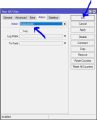 007.1-mikrotik-1-firewall-nat.jpg 423 × 523; 34 KB
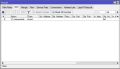 007.2-mikrotik-1-hasil-firewall-nat.jpg 658 × 380; 37 KB
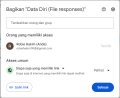 007 Ganti hak akses.png 775 × 634; 43 KB
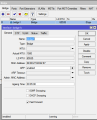 007 Router 2 - Bridge1.png 459 × 570; 20 KB
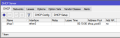 007 Router 2 dhcp server.png 532 × 170; 7 KB
 007 ospf ping router1 ke client router2.png 516 × 100; 5 KB
 007 ospf ping router1 ke router2.png 514 × 88; 5 KB
 007 php extention yes.png 599 × 55; 3 KB
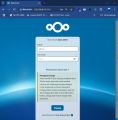 008-akses-ip-ct-dan-portnya-nextcloud.jpg 970 × 989; 81 KB
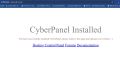 008-berhasil-menampilkan-domain.jpg 1.485 × 739; 77 KB
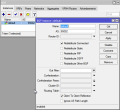 008-bgp-router2-bgp-instances.png 541 × 498; 22 KB
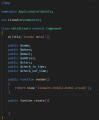 008-create-function-hotel.png 552 × 671; 20 KB
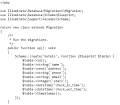 008-edit-file-migration-hotels-yang-baru-dibuat-ganti.png 521 × 458; 17 KB
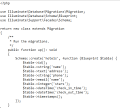 008-edit-file-migration-hotels-yang-baru-dibuat.png 509 × 458; 16 KB
 008-guided-storage-configuration.jpg 971 × 720; 41 KB
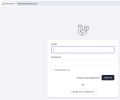 008-halaman-login-laravel-12.jpg 883 × 735; 30 KB
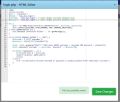 008-halaman-login-php.jpg 922 × 785; 82 KB
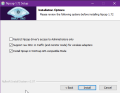 008-instalation-options.png 498 × 388; 22 KB
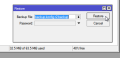 008-klik-restore.png 430 × 209; 7 KB
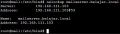 008-nslookup-maiserver-belajar-local.jpg 492 × 139; 18 KB
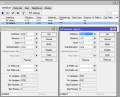 008-rip-interface-mikrotik2.png 633 × 514; 28 KB
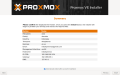 008-summary-proxmox.png 1.129 × 701; 181 KB
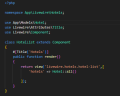 008-tambah-title-di-hotellist.png 323 × 259; 12 KB
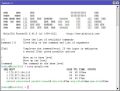 008-tes-koneksi-mikrotik.jpg 601 × 458; 65 KB
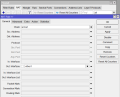 008-ukk-paket2-firewal-nat-general.png 864 × 701; 33 KB
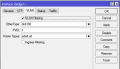 008 Router 2 - Bridge1 Tab VLAN.png 455 × 263; 8 KB
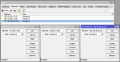 008 Router 2 ospf network.png 794 × 408; 22 KB
 008 Rumus menampilkan gambar.png 1.387 × 498; 58 KB
 008 install redis yes.png 549 × 51; 3 KB
 008 lakukan update.png 804 × 293; 11 KB
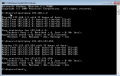 008 ospf ping router1 ke router2 dari cmd.png 669 × 421; 24 KB
 009-aktifkan-interface-wireless.jpg 1.366 × 768; 158 KB
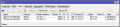 009-bgp-router2-bgp-peers-hasil.png 755 × 172; 13 KB
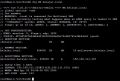 009-dig-mx-belajar-local.jpg 712 × 483; 70 KB
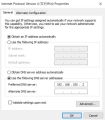 009-dns-seting-pc.jpg 495 × 564; 44 KB
 009-dydum-test.png 383 × 162; 7 KB
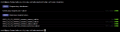 009-eksekusi-migrate-database.png 841 × 221; 11 KB
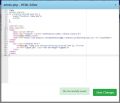 009-halaman-admin-php.jpg 916 × 787; 65 KB
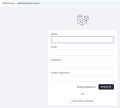 009-halaman-register-laravel-12.jpg 887 × 795; 34 KB
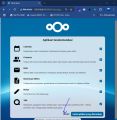 009-klik-lewati-nextcloud.jpg 971 × 1.000; 98 KB
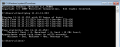 009-ping-client1-ke-client2.png 675 × 265; 14 KB
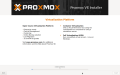 009-proses-install-proxmox.png 1.126 × 701; 176 KB
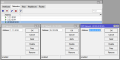 009-rip-network-mikrotik2.png 740 × 369; 16 KB
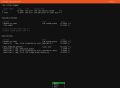 009-storage-configuration.jpg 961 × 704; 48 KB
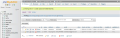 009-tambah-data-manual.png 1.015 × 319; 132 KB
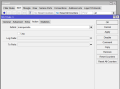 009-ukk-paket2-firewall-nat-action.png 871 × 648; 29 KB
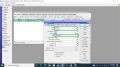 009.2-mengganti-ssid-interface-wireless.jpg 1.366 × 768; 226 KB
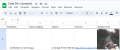 009 Hasil tampilan gambar.png 1.200 × 503; 163 KB
 009 Router 2 - Port ether1 ether2 ether3.png 881 × 517; 32 KB
 009 Router 2 ip routes.png 698 × 251; 15 KB


